
Random State Generator
Generate one or more random U.S. states instantly.
Ready to generate
A random state generator is a simple online tool that lets you select one or more U.S. states at random. Instead of scrolling through a list of all 50 states and choosing one yourself, the generator makes the selection automatically in seconds.
This tool can be useful for games, classroom activities, travel ideas, quizzes, research, sample data, and situations where you need an unbiased state selection. You can generate a single state or create a list of several random states depending on what you need.
The tool can also make the selection more specific. You can choose a region of the United States, decide how many states you want, and control whether duplicate results are allowed.
There is no complicated setup. Select your options, generate the result, and copy the states if you want to use them somewhere else.
What Is a Random State Generator?
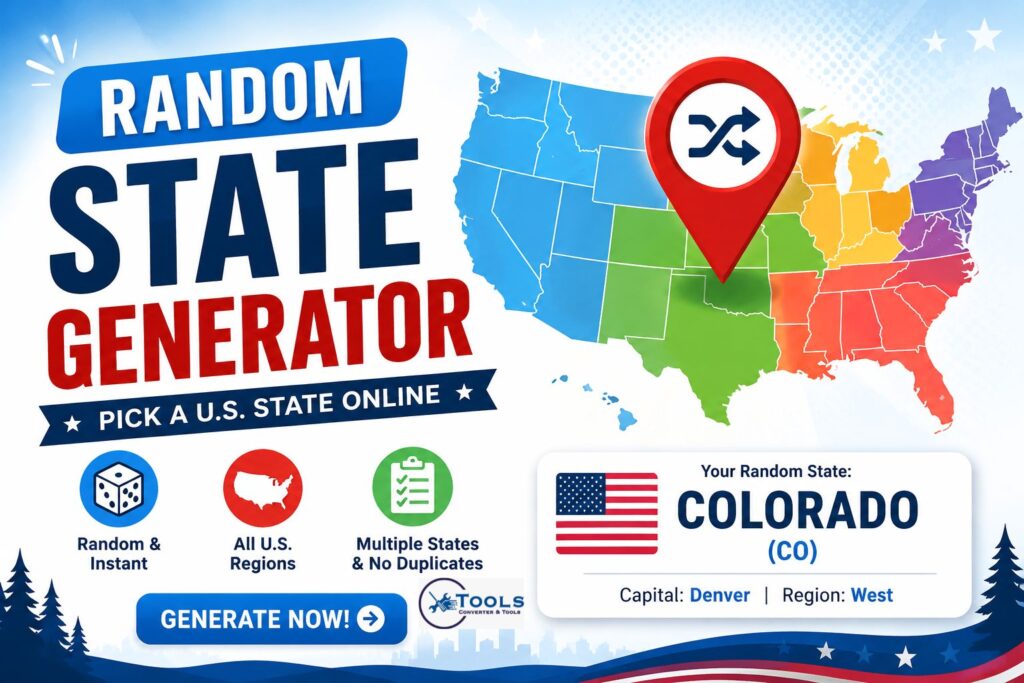
A random state generator is an online picker designed to select states from the United States randomly. It uses a list containing the 50 U.S. states and chooses from that list according to your settings.
For example, if you select one state from all U.S. states, you might receive Colorado (CO). Generate again, and the result could be Florida (FL) or another state.
The purpose is to remove personal choice from the selection process. This makes the tool particularly useful when you want a quick and impartial result.
How the Random State Picker Works
The generator starts with a predefined list of U.S. states. When you click the generate button, it randomly chooses the requested number of states from the available list.
Your settings determine which states are eligible.
For example, choosing the West region limits the selection to states categorized within that region. Choosing all U.S. states allows the generator to select from the complete list of 50 states.
You can also choose whether every result must be unique or whether the same state can appear more than once.
Why Use a Random U.S. State Generator?
Manually picking a state is easy when you only need a casual choice. However, your personal preferences may influence the result.
A random state generator provides a more neutral way to make the selection.
It is also faster when you need several states. Instead of writing down state names, mixing them, and selecting them manually, the tool handles the entire process instantly.
How to Use the Random State Generator
Using the tool requires only a few simple settings.
Choose the Number of States
Start by entering how many states you want to generate.
You can select a single state for a quick random choice or generate multiple states at once. When generating unique results, the maximum number available depends on the region you select.
For example, requesting 20 unique states from a region containing fewer than 20 states would not be possible. In that situation, reduce the quantity or allow duplicate selections.
Select a U.S. Region
Next, choose the geographic area from which you want the tool to pick states.
You can generate from all U.S. states or narrow your results to:
- Northeast
- Midwest
- South
- West
Selecting a region is useful when your activity, research, game, or project only involves a particular part of the country.
Choose Unique or Repeat Results
The selection mode determines whether a state can appear more than once.
Choose No Duplicates when every generated state should be different. This option works well for lists, assignments, games, and group activities.
Choose Allow Duplicates when repeated selections are acceptable. Each selection is then made independently, meaning the same state may appear multiple times.
Generate and Copy Your Results
After selecting your settings, click the generate button.
The main random state appears first, while additional states are displayed underneath when you request multiple results.
You can generate a new set whenever you want. If you need to save or share your results, use the copy option to place the generated list on your clipboard.
Random State Selection Method
A random state picker is different from a traditional converter.
A unit converter usually applies a mathematical relationship between two measurements. For example, converting miles to kilometers requires a fixed conversion factor.
A random state generator does not convert one measurement into another. Instead, it performs a randomized selection from a defined dataset.
How States Are Selected Randomly
Suppose the generator has a list containing all 50 states.
When you request one random state, the tool selects an entry from that list. If you request several unique states, the available states can be shuffled before the required number of entries is selected.
The process can be represented simply as:
Random State = Random Selection from Eligible State List
If a region filter is active, the formula becomes:
Random State = Random Selection from States in Selected Region
There is therefore no traditional conversion formula required for this tool.
Does Every State Have an Equal Chance?
When all 50 states are included and no special weighting is applied, each state is treated as an eligible option in the random selection.
Regional filtering changes the available pool rather than intentionally giving one state greater importance.
For instance, when you choose the Northeast, states outside that region are removed from the available selection. The random choice is then made from the remaining eligible states.
Random Selection vs. Conversion Formula
The key difference is that a conversion produces a predictable result.
If the same value is converted using the same units and formula, the answer remains the same.
Random generation is different. Repeating the same request can produce a different state each time. That changing result is the main purpose of a random picker.
Random State Generator Examples
Understanding the tool is easier with a few practical examples.
Generate One Random State
Imagine you need one state for a geography activity.
Set the quantity to 1, select All U.S. States, and generate the result.
An example result could be:
Oregon (OR)
Generate again and you may receive a completely different state.
Generate Multiple Random States
Suppose you need five different states for a classroom assignment.
Set the quantity to 5 and select the no-duplicates option.
An example set might include:
Arizona, Maine, Texas, Wisconsin, and Virginia.
The actual states can change every time you generate a new list.
Pick a State From a Specific Region
You may only want a state from the Midwest.
Select Midwest as your region and request one state. The generator will make its random choice from states included in that regional category rather than the complete U.S. list.
This is helpful for region-specific lessons, activities, comparisons, and research.
Generate States Without Duplicates
Suppose you need ten different states for ten participants.
Choose a quantity of 10 and select the unique or no-duplicates mode. The generator will produce ten different state names instead of allowing one state to occupy multiple positions.
U.S. Regions Available in the Generator
Regional filters make the random state generator more flexible.
Northeast States
Choose the Northeast option when you only want results from the northeastern part of the United States.
This can be useful for regional geography exercises, trip inspiration, demographic projects, or educational activities.
Midwest States
The Midwest filter limits the selection to states categorized in the Midwestern region.
Teachers and students can use this setting for regional quizzes, while researchers can use it when creating randomized examples from this part of the country.
Southern States
Select the South option when you need a random state from the southern region.
Instead of manually identifying eligible states before making a choice, the tool filters the available options for you.
Western States
The West option limits random results to western states.
This can be useful when planning fictional trips, creating challenges, choosing research examples, or developing geography exercises focused on the western United States.
What Information Does the Tool Provide?
The tool does more than display a state name.
State Name and Abbreviation
Each generated result can include the full state name together with its standard two-letter abbreviation.
For example:
California (CA)
This format makes the result easy to recognize and useful for forms, worksheets, datasets, and other activities.
State Capital
When generating a state, the tool can also show its capital.
For example, if the selected state is California, the capital displayed is Sacramento.
This additional information makes the generator useful for basic geography activities and educational exercises.
U.S. Region
The generated result can also identify the region associated with the selected state.
This provides useful context when you generate from the complete list of U.S. states.
Popular Uses for a Random State Picker
A random state generator has many practical and recreational uses.
Games and Trivia
Random states can be used to create geography challenges and trivia questions.
Generate a state and ask players to identify its capital, abbreviation, neighboring states, landmarks, or location on a map.
Classroom Activities
Teachers can use random states for geography assignments and classroom exercises.
Students might research the population, capital, history, climate, major cities, or landmarks of the state they receive.
Random assignment can also help distribute topics without requiring the teacher to choose a state for every student manually.
Travel Inspiration
If you want inspiration for a future U.S. trip, generate a random state and research what it offers.
The result does not have to determine your final destination. It can simply introduce places you might not have considered.
Research and Sample Data
Random state names can be useful when creating sample datasets, testing forms, building demonstrations, or preparing mock projects.
Developers and researchers can quickly generate state entries without manually choosing each one.
Random Challenges and Decisions
The tool can also be used for informal challenges.
You could generate a state and cook a regional dish, learn about its history, find its largest city, research a famous landmark, or test your knowledge of its capital.
Benefits of Using This Online Tool
The main advantage of the random state generator is convenience.
It removes the need to create lists, number states manually, or use another random-number tool alongside a state reference.
Fast and Easy to Use
The process takes only a few seconds.
Enter the number of states, select your preferred options, and generate the results.
Generate Multiple States
You are not limited to generating one state at a time.
Multiple-state generation is particularly helpful for teachers, students, developers, researchers, and anyone preparing group activities.
Filter States by Region
Regional filtering gives you more control over the random selection.
Instead of receiving results from anywhere in the country, you can focus on the Northeast, Midwest, South, or West.
No Sign-Up Required
A simple online random state generator does not need to make a straightforward task complicated.
You can open the tool, choose your settings, generate states, and use the results immediately.
Disney Font Generator – Create Magical Text Online
Frequently Asked Questions
What is a random state generator?
A random state generator is a tool that randomly selects one or more U.S. states from an available list. It is useful for games, education, research, travel inspiration, sample data, and random decisions.
How do I pick a random U.S. state?
Set the number of states to one, choose all U.S. states or a specific region, and click the generate button. The tool will display a randomly selected state.
Can I generate multiple random states?
Yes. You can choose the number of states you need and generate several results at once. You can also choose whether duplicate states are allowed.
Can I choose states from a specific region?
Yes. The generator can filter results by U.S. region, including the Northeast, Midwest, South, and West. This allows you to generate random states from a smaller geographic group.
Does the generator include all 50 U.S. states?
Yes. When the All U.S. States option is selected, the random state generator can choose from all 50 states. You can generate a new result whenever you need another random selection.
Start Generating Random U.S. States
The random state generator provides a quick way to pick U.S. states without making the selection manually. Whether you need one state for a game or several states for a classroom activity, project, dataset, or challenge, the tool makes the process simple.
Choose the number of states, select your preferred region and duplicate settings, then generate your results. You can repeat the process whenever you need a fresh random selection.
