
Italic Text Generator
Convert normal text into stylish italic, bold italic, cursive, and fancy Unicode text instantly.
Your stylish italic text will appear here
An italic text generator is a simple online tool that changes normal text into stylish italic text you can copy and paste anywhere. Instead of manually changing fonts in a design app or document editor, this tool converts your plain text into special Unicode italic characters.
This makes it useful for social media posts, profile bios, usernames, captions, comments, messages, gaming names, and creative online content. You type your text, choose a style, generate the result, and copy it instantly.
The main purpose of an italic text generator is speed and convenience. You do not need to install software, create an account, or learn any technical steps. The tool is designed for quick conversion, clear results, and easy copying.
What Is an Italic Text Generator?
An italic text generator is an online converter that transforms regular letters into italic-style Unicode characters. For example, normal text like “Hello World” can become a stylish italic version that looks more elegant and eye-catching.
Unlike simple font formatting, Unicode italic text is made from special characters. That means the generated text can often be pasted into platforms that do not allow regular font changes.
What the Tool Does
The tool takes your normal input text and replaces supported letters with matching italic Unicode characters. It keeps spaces, numbers, punctuation, and unsupported symbols mostly unchanged.
For example:
Normal text: Hello
Italic text: 𝘏𝘦𝘭𝘭𝘰
This makes your text look different while still keeping the same meaning.
Why People Use Italic Text
People use italic text to make words stand out. It can help highlight names, titles, quotes, captions, bios, or short messages.
Stylish italic text is also popular because it gives content a cleaner and more creative appearance. It can make a simple profile or post feel more personal.
Use the Italic Text Generator
Using this italic text generator is simple. The tool is made for users who want fast results without complicated settings.
You only need to enter your text, select an italic style, and copy the generated result. The converted text is ready to paste into supported apps, websites, and messages.
Enter Your Text
Start by typing or pasting your normal text into the input box. You can enter a word, sentence, name, caption, or short paragraph.
For best results, keep the text clear and not too long. Short text usually looks better in stylish fonts.
Choose an Italic Style
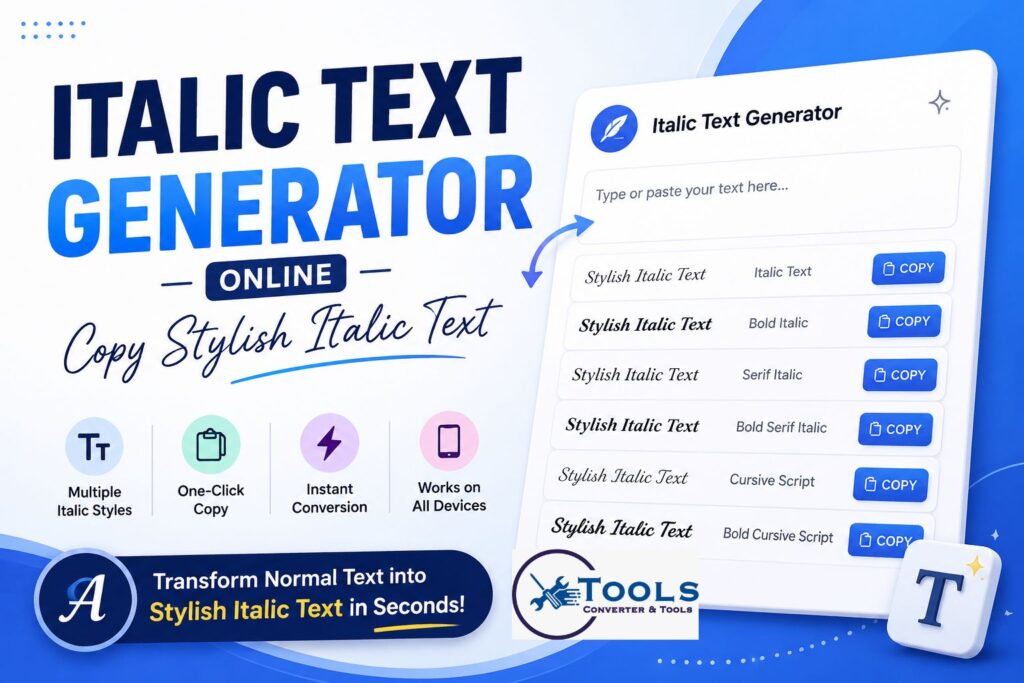
Many italic text tools offer more than one style. You may find options like italic text, bold italic text, serif italic text, cursive script, and bold cursive script.
Each style gives a slightly different look. A simple italic style is clean, while cursive script feels more decorative.
Copy and Paste Anywhere
After generating the result, click the copy button. Then paste the text into your chosen platform.
You can use it in social media bios, messages, comments, usernames, notes, or creative headings.
Features of This Italic Text Generator
A good italic text generator should be fast, simple, and easy to use. It should also provide clean output that users can copy without extra steps.
Multiple Italic Styles
The tool can generate different italic versions of your text. This gives you more choice depending on where you want to use the text.
Common styles include:
Italic text
Bold italic text
Serif italic text
Bold serif italic text
Cursive script
Bold cursive script
These styles help you create text that matches your purpose.
One-Click Copy
The copy button saves time. Instead of selecting the text manually, you can copy the result with one click.
This is especially useful when you want to test different styles quickly.
Works on Mobile and Desktop
The italic text generator can be used on phones, tablets, laptops, and desktop computers. Since it works online, you do not need to install any app.
This makes it helpful for quick text styling while posting from a mobile device.
How to Use the Italic Text Generator
The process is very easy. Even if you have never used a text converter before, you can create stylish italic text in seconds.
Step 1: Type or Paste Your Text
Enter your normal text into the text box. This can be a name, caption, quote, title, or message.
Example:
Create beautiful text online
Step 2: Select Your Style
Choose the italic style you want from the available options. You can try different styles to see which one looks best.
Step 3: Generate the Text
Click the generate button or let the tool update the result automatically. The converted text will appear in the result area.
Step 4: Copy the Result
Use the copy button next to your preferred result. The stylish italic text will be copied to your clipboard.
Step 5: Paste It Anywhere
Paste the copied text into your social media post, profile bio, chat message, website, or document.
How the Conversion Works
The italic text generator works by using Unicode character mapping. Unicode is a system that gives characters unique codes so they can appear across different devices and platforms.
Instead of applying a visual font style, the tool replaces normal letters with special italic-looking characters.
Unicode Character Mapping
Each normal letter has a matching stylish character in the selected Unicode style.
For example:
A becomes 𝘈
B becomes 𝘉
a becomes 𝘢
b becomes 𝘣
The tool checks every character in your input and replaces it when a matching italic character is available.
Italic Fonts vs Unicode Text
There is an important difference between normal italic formatting and Unicode italic text.
Normal italic formatting changes how text looks inside a specific editor or app. For example, a word processor may let you press an italic button.
Unicode italic text is different. It uses special characters that already look italic. This is why it can be copied and pasted into many places where normal font formatting is not available.
Conversion Formula
A traditional math formula is not needed for this type of converter. However, the process can be explained in a simple conversion formula:
Normal Text → Unicode Mapping → Italic Text Output
This means the tool reads your input, matches each character with its italic Unicode version, and displays the converted result.
Example Conversion Process
Input:
Stylish Text
Mapping:
S → 𝘚
t → 𝘵
y → 𝘺
l → 𝘭
i → 𝘪
s → 𝘴
h → 𝘩
Output:
𝘚𝘵𝘺𝘭𝘪𝘴𝘩 𝘛𝘦𝘹𝘵
The meaning stays the same, but the appearance becomes more stylish.
Examples of Italic Text Conversion
Examples help show how the italic text generator works in real use. You can use it for short words, full sentences, names, bios, or creative captions.
Example 1: Simple Word
Normal text:
Hello
Italic text:
𝘏𝘦𝘭𝘭𝘰
This is useful for short messages or stylish labels.
Example 2: Full Sentence
Normal text:
Create stylish text online
Italic text:
𝘊𝘳𝘦𝘢𝘵𝘦 𝘴𝘵𝘺𝘭𝘪𝘴𝘩 𝘵𝘦𝘹𝘵 𝘰𝘯𝘭𝘪𝘯𝘦
This style works well for captions and status updates.
Example 3: Social Media Bio
Normal text:
Digital creator and designer
Italic text:
𝘋𝘪𝘨𝘪𝘵𝘢𝘭 𝘤𝘳𝘦𝘢𝘵𝘰𝘳 𝘢𝘯𝘥 𝘥𝘦𝘴𝘪𝘨𝘯𝘦𝘳
This can make a profile bio look cleaner and more unique.
Example 4: Gaming Nickname
Normal text:
Shadow Player
Italic text:
𝘚𝘩𝘢𝘥𝘰𝘸 𝘗𝘭𝘢𝘺𝘦𝘳
A stylish nickname can help your profile stand out in games and communities.
Example 5: Caption Text
Normal text:
Dream big and stay focused
Italic text:
𝘋𝘳𝘦𝘢𝘮 𝘣𝘪𝘨 𝘢𝘯𝘥 𝘴𝘵𝘢𝘺 𝘧𝘰𝘤𝘶𝘴𝘦𝘥
This is good for motivational captions and short quotes.
Where You Can Use Italic Text
The generated italic text can be used in many online places. Since it is copyable Unicode text, it works well on many platforms.
Social Media Profiles
You can use italic text in profile names, bios, highlights, and short descriptions. It helps make your profile look more polished.
Instagram and Facebook Posts
Italic text can make captions more attractive. You can use it for quotes, headings, names, or important words.
X, Threads, and Comments
Short italic phrases can help your posts stand out in busy feeds. It is useful for emphasis without using too many emojis or symbols.
Discord and Gaming Names
Many users like stylish text for usernames, server names, and gaming profiles. Italic text gives names a smooth and modern look.
WhatsApp Messages
You can paste generated italic Unicode text into messages to make your text look different. It is useful for greetings, quotes, or short stylish replies.
Benefits of Using an Italic Text Generator
An italic text generator is useful because it saves time and makes text styling simple.
Fast Text Styling
You do not need design skills or editing software. The tool gives instant results.
Easy Copy and Paste
The generated text can be copied quickly and pasted into many platforms.
Better Visual Appeal
Italic text can make plain words look more elegant, soft, and creative.
Useful for Many Purposes
You can use the tool for social media, gaming, bios, captions, comments, and personal messages.
Tips for Best Results
To get the best output from an italic text generator, use it carefully and keep your text readable.
Keep Text Short
Stylish Unicode text looks best when used in short lines. Very long paragraphs may be harder to read.
Test Before Posting
Some platforms or devices may display certain Unicode characters differently. Always preview the text before using it in an important place.
Use Styles Naturally
Avoid converting every word in a long post. Use italic text for names, headings, quotes, or key phrases.
Common Issues and Solutions
Sometimes stylish text may not display exactly the same everywhere. This usually depends on the app, device, or browser.
Characters Not Showing Correctly
If some characters appear as boxes or blank spaces, the platform may not fully support that Unicode style. Try another italic style.
Copy Button Not Working
If the copy button does not work, select the generated text manually and copy it using your device’s copy option.
Text Looks Different on Another Device
Different devices may use different fonts to display Unicode characters. The text should still be readable, but the style may vary slightly.
Why Choose This Italic Text Generator?
This italic text generator is designed for quick and simple text conversion. It focuses on usability, clean results, and easy copying.
You can generate stylish italic text without signing up, downloading software, or changing complicated settings. The tool is helpful for users who want fast results for social media, messaging, gaming, and online profiles.
It is also useful because it offers multiple styles in one place. Instead of using separate tools for italic, bold italic, and cursive text, you can compare different results and copy the one you like best.
Best Places to Eat Near Me with Live Map
Frequently Asked Questions
Is this italic text generator free?
Yes, the italic text generator is free to use. You can enter text, generate stylish italic versions, and copy the result without registration.
Can I use italic text on social media?
Yes, you can copy and paste the generated italic text into many social media platforms, including bios, posts, comments, and captions.
Why does some italic text not show correctly?
Some apps or devices may not support every Unicode character. If the text does not display properly, try a different style.
Is Unicode italic text the same as a font?
No. Unicode italic text uses special characters, while a normal font changes the appearance of regular letters inside an editor.
Can I convert long text?
Yes, but short text usually looks better. For readability, it is best to use stylish italic text for names, titles, quotes, bios, and short captions.
Conclusion
An italic text generator is a quick and useful tool for turning normal text into stylish italic Unicode text. It helps you create attractive words, captions, bios, usernames, and messages without any design software.
The process is simple: enter your text, choose a style, generate the result, and copy it. Whether you want a clean social media bio, a stylish gaming name, or a creative caption, this tool makes italic text conversion fast and easy.
