
Cursive Generator
Create stylish cursive text for social media, bios, names, captions, and messages.
A cursive generator is a simple online tool that turns normal text into stylish cursive text. You type your words, choose a style, and the tool creates decorative text that you can copy and paste anywhere. It is useful for social media bios, captions, names, messages, usernames, and creative posts.
Many people want their text to look different from plain letters. A cursive generator helps you do that without installing fonts or using design software. The generated text is usually made with Unicode characters, which means it can often be pasted into apps, profiles, comments, and messages.
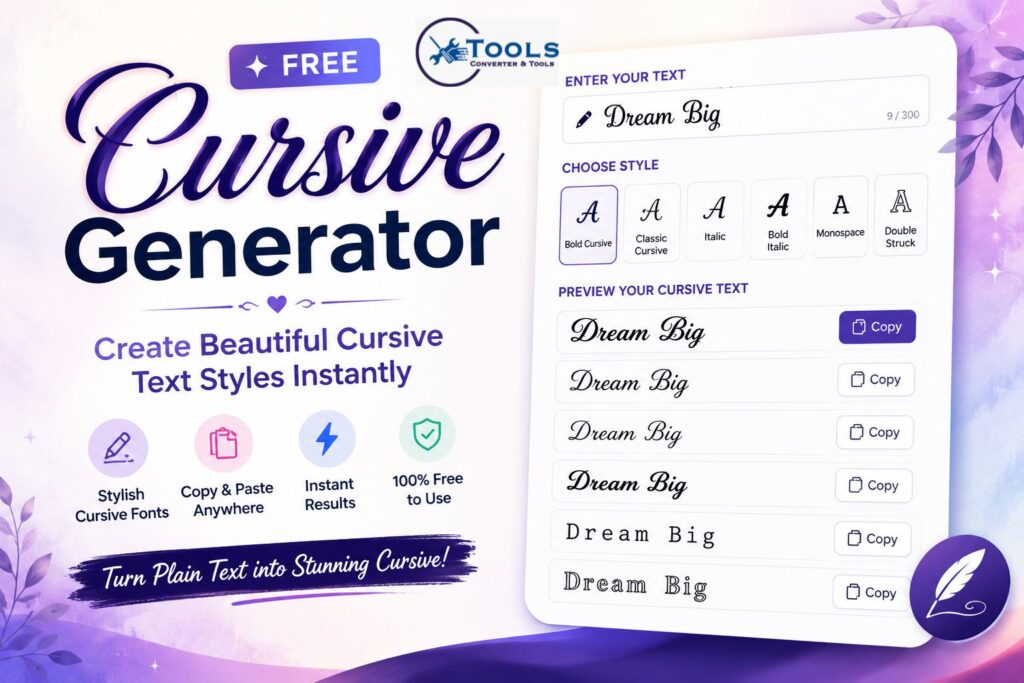
This tool is designed for quick text conversion. You do not need any technical skills. Just enter your text, generate the result, copy it, and use it where you like.
What Is a Cursive Generator?
A cursive generator is a text converter that changes standard letters into cursive-style characters. For example, the word “Hello” can become “𝓗𝓮𝓵𝓵𝓸” or “𝒽𝑒𝓁𝓁𝑜” depending on the selected style.
The tool does not draw letters like handwriting. Instead, it matches each normal character with a decorative Unicode version. This makes the output easy to copy and paste.
A cursive generator is often used by people who want stylish text for online profiles, creative captions, gaming names, or personal branding.
Why Use Cursive Text?
Cursive text gives your words a softer, more elegant look. It can make a simple name, phrase, or quote stand out. Instead of using plain text, you can create something more personal and attractive.
For example, a simple bio line like “Dream Big” can look more stylish as “𝓓𝓻𝓮𝓪𝓶 𝓑𝓲𝓰”. This small change can make your profile feel more polished.
People also use cursive text for invitations, status updates, usernames, and aesthetic captions. It is quick, easy, and does not require editing apps.
How to Use the Cursive Generator
Using the cursive generator is simple. The tool is made for fast results, so users can convert text in just a few steps.
Enter Your Text
Start by typing or pasting your text into the input box. You can enter a name, quote, caption, username, or short message.
For best results, keep the text clear and not too long. Short phrases usually look better in cursive styles because they are easier to read.
Choose a Style
Next, select the cursive style you want. Common styles include bold cursive, classic cursive, italic, bold italic, monospace, and double struck.
Each style gives your text a different look. Bold cursive is strong and decorative, while classic cursive feels more elegant and soft.
Generate the Result
After entering your text and choosing a style, click the generate button. The tool will instantly convert your normal text into cursive text.
Some tools may also show multiple styles at once, so you can compare them and choose the one that looks best.
Copy and Paste
Once your cursive text is ready, click the copy button. You can then paste it into social media profiles, messages, captions, posts, or usernames.
This makes the tool useful for quick styling without extra steps.
How the Cursive Generator Works
A cursive generator works by replacing each normal letter with a matching Unicode character. Unicode is a character system that includes many decorative letters, symbols, and special text styles.
For example, the letter “A” can be converted into “𝓐” in bold cursive style. The letter “b” can become “𝓫”. The tool repeats this process for every letter in your text.
If the tool does not have a cursive version for a character, it usually keeps that character unchanged. This often happens with punctuation, spaces, and some symbols.
Text Conversion Formula
A cursive generator does not use a math formula like a length or weight converter. Instead, it uses character mapping.
The basic conversion process is:
Normal Text → Unicode Character Mapping → Cursive Text Output
For example:
Hello → H + e + l + l + o → 𝓗 + 𝓮 + 𝓵 + 𝓵 + 𝓸 → 𝓗𝓮𝓵𝓵𝓸
This method makes the conversion fast and accurate. The tool checks each character and replaces it with the matching stylish version.
Practical Conversion Examples
Here are some simple examples of how normal text can be changed with a cursive generator.
Simple Word Example
Normal text: Hello
Cursive text: 𝓗𝓮𝓵𝓵𝓸
This is useful for greetings, comments, and short messages.
Name Example
Normal text: Emma
Cursive text: 𝓔𝓶𝓶𝓪
Names often look beautiful in cursive text, especially for profile names or creative designs.
Bio Example
Normal text: Dream Big
Cursive text: 𝓓𝓻𝓮𝓪𝓶 𝓑𝓲𝓰
This type of text works well in Instagram bios, TikTok profiles, and personal pages.
Caption Example
Normal text: Stay Positive
Cursive text: 𝓢𝓽𝓪𝔂 𝓟𝓸𝓼𝓲𝓽𝓲𝓿𝓮
Cursive captions can make posts feel more stylish and personal.
Popular Cursive Text Styles
Different users prefer different styles. A good cursive generator gives multiple options so you can choose the best look.
Bold Cursive
Bold cursive is thick, stylish, and easy to notice. It is a good choice for names, headings, profile text, and short captions.
Example: 𝓑𝓸𝓵𝓭 𝓒𝓾𝓻𝓼𝓲𝓿𝓮
Classic Cursive
Classic cursive has a softer and more elegant style. It is often used for romantic captions, quotes, and aesthetic bios.
Example: 𝒞𝓁𝒶𝓈𝓈𝒾𝒸 𝒞𝓊𝓇𝓈𝒾𝓋𝑒
Italic Text
Italic text is clean and simple. It gives your words a slightly formal or stylish feel without being too decorative.
Example: 𝐼𝑡𝑎𝑙𝑖𝑐 𝑇𝑒𝑥𝑡
Bold Italic
Bold italic combines strong letters with a slanted style. It is useful when you want your text to look powerful but still elegant.
Example: 𝑩𝒐𝒍𝒅 𝑰𝒕𝒂𝒍𝒊𝒄
Monospace
Monospace gives each character equal spacing. It has a modern and digital look, which works well for usernames and tech-style text.
Example: 𝙼𝚘𝚗𝚘𝚜𝚙𝚊𝚌𝚎
Double Struck
Double struck text looks bold and unique. It is popular for names, short words, and eye-catching profile text.
Example: 𝔻𝕠𝕦𝕓𝕝𝕖 𝕊𝕥𝕣𝕦𝕔𝕜
Where You Can Use Cursive Text
Cursive text can be used in many online places. Since it is usually Unicode-based, it can be copied and pasted into different platforms.
You can use it for Instagram bios, Facebook posts, TikTok captions, WhatsApp messages, Discord usernames, YouTube channel names, gaming nicknames, and short personal quotes.
It is also helpful for making simple text look more creative without using graphic design tools.
Benefits of Using a Cursive Generator
A cursive generator saves time. You do not need to search for special fonts, download apps, or edit images. Everything happens inside the tool.
It is also easy for beginners. You type normal text and get stylish text instantly. This makes it useful for students, creators, gamers, influencers, and anyone who wants decorative writing.
Another benefit is copy-and-paste support. Once the text is generated, you can use it right away in most online spaces.
Tips for Better Results
Keep your text short when using cursive styles. Long paragraphs may become harder to read, especially on small screens.
Try different styles before choosing one. Some words look better in bold cursive, while others look better in classic cursive or italic.
Also, check how the text appears after pasting it. Some older devices or apps may not display every Unicode character correctly.
Common Issues
Sometimes cursive text may show as boxes or missing symbols. This usually means the device, browser, or app does not fully support those Unicode characters.
Copy and paste may also behave differently across platforms. If one style does not work well, try another style from the generator.
For best readability, avoid using too many special characters in one sentence. Simple, clean text often looks better.
Free Random Emoji Generator Online
FAQs
Is this cursive generator free?
Yes, the cursive generator is free to use. You can enter text, generate cursive styles, and copy the result without paying.
Can I copy and paste the cursive text?
Yes, you can copy the generated cursive text and paste it into social media, messages, bios, captions, and usernames.
Does cursive text work on Instagram?
In most cases, yes. Since the text uses Unicode characters, it can usually be pasted into Instagram bios, captions, and comments.
Is cursive text the same as a font?
Not exactly. The tool uses Unicode characters that look like cursive fonts. This makes the text copyable instead of needing a font file.
Why is my cursive text not showing correctly?
Some apps or devices may not support all Unicode characters. Try a different style if the text appears as boxes or broken symbols.
Conclusion
A cursive generator is a quick and easy tool for turning plain text into beautiful cursive styles. It is useful for names, bios, captions, messages, usernames, and creative posts.
By using Unicode character mapping, the tool creates stylish text that you can copy and paste in seconds. Whether you want bold cursive, classic cursive, italic, or another decorative style, this converter helps you create attractive text without any design skills.
