Disney Font Generator
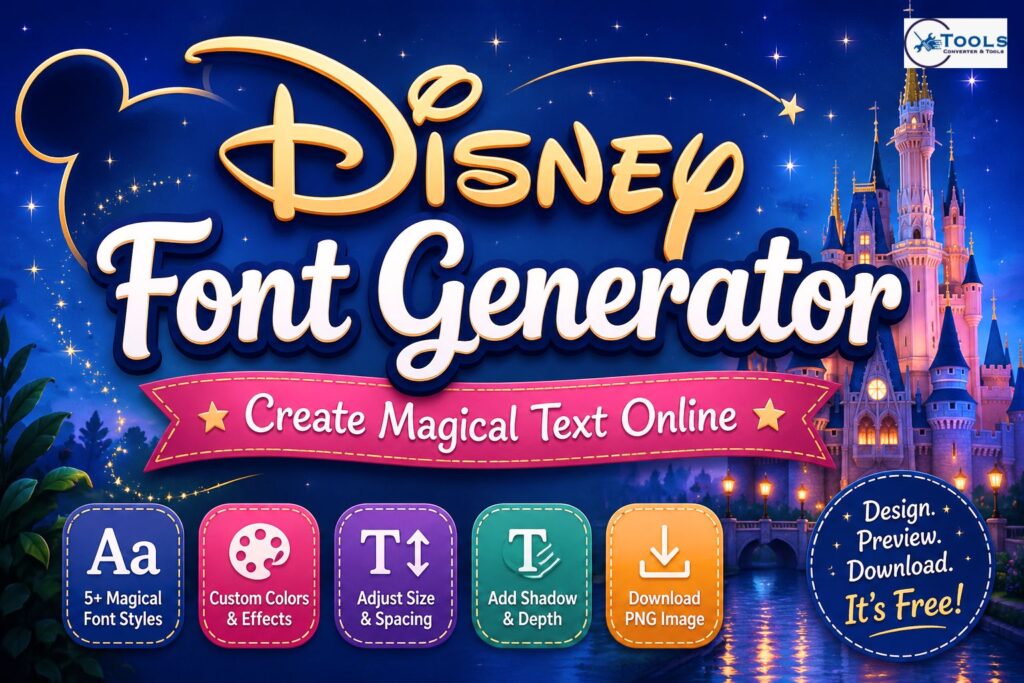
Generate magical storybook-style text, customize its appearance, copy your favorite result, or download it as a high-quality PNG.
1 Enter and select
2 Customize design
Your Generated Results
Choose, copy, customize, or download your favorite result.
This independent generator uses browser-safe fonts to create whimsical text previews. It is not affiliated with or endorsed by The Walt Disney Company.
Free magical text generator
Create storybook-inspired headings for personal invitations, birthday cards, social captions, thumbnails, craft ideas, and creative design drafts. All processing happens directly in your browser.
- Five instant font-style previews
- Custom text and background colors
- Adjustable size and letter spacing
- Customizable text shadow
- Transparent PNG support
- High-resolution image download
- Copy text and CSS options
- Responsive mobile-friendly interface
How to use this tool
Enter your text, select a main style, and customize its colors, size, spacing, shadow, and alignment. Your previews update instantly. You can then copy the text, copy its CSS, or download the main result as a PNG.
A Disney font generator is a simple online tool for turning ordinary text into playful, storybook-inspired lettering. Instead of spending time working with complicated design software, you can enter your words, choose a style, adjust the appearance, and preview the result directly in your browser.
The tool is useful for birthday cards, party invitations, social media graphics, thumbnails, craft projects, headings, and other creative designs. You can experiment with different font styles, colors, sizes, spacing, shadows, and backgrounds until the text matches the look you want.
One of the biggest advantages is convenience. You do not need advanced graphic design skills or a complicated setup. Enter your text, customize it, and create a design within seconds.
What Is a Disney Font Generator?
A Disney font generator is a creative text tool that produces whimsical, storybook-style text previews. It gives regular words a more decorative appearance that can work well for fantasy, fairytale, adventure, and celebration-themed projects.
Rather than converting a measurement or file format, this generator changes the visual presentation of your text. Your original words remain the same while the font style and design settings change.
The tool provides several styles so you can compare different looks before choosing your favorite. You can also customize the result instead of being limited to a single preset design.
It is important to note that this is an independent creative generator. It uses browser-safe fonts to produce whimsical text styles and is not affiliated with or endorsed by The Walt Disney Company.
How to Use the Disney Font Generator
Using the generator is straightforward. You can create your design in a few simple steps.
Enter Your Text
Start by typing the words you want to customize into the text field. You might enter a name, birthday message, short title, party phrase, or another piece of creative text.
Short phrases usually work especially well because decorative lettering remains clear and easy to read.
For example, you could enter:
Magical Adventure
The generator will use your text to create multiple visual previews.
Choose a Font Style
Next, select the main style you want to use.
The generator includes five options:
- Classic Storybook
- Magic Script
- Royal Title
- Bold Adventure
- Dream Lettering
Each option gives the same text a different visual personality. You can switch between them to find the style that best suits your project.
Customize the Design
After choosing a font, customize its appearance.
You can change the text color and background color, increase or decrease the font size, adjust letter spacing, add a text shadow, and choose the text alignment.
These controls make the Disney font generator more flexible than a basic text preview tool.
For example, a light background with dark blue lettering can create a clean storybook appearance. A darker or brighter text color with stronger shadows may work better for thumbnails or bold headings.
Preview the Result
The generated previews let you see how your text looks before downloading anything.
You can compare all available styles and select another one as your main design. This makes experimenting much faster because you do not have to recreate your text every time you want to test another style.
Copy or Download Your Text
Once you are happy with the design, you can use the available copy and download options.
The text itself can be copied for reuse, while the main result can be downloaded as a PNG image. The tool also provides an option for copying the main style CSS when you want to reproduce similar styling in a web project.
Customize Your Magical Text
Customization can make a simple phrase look much more suitable for a specific project. Here are the main settings available in the generator.
Choose Text and Background Colors
Use the color controls to select your preferred text and background combination.
Good contrast is important. Dark text generally works well against a light background, while light text is easier to see against darker backgrounds.
Think about where the finished design will be used before choosing your colors.
Adjust the Font Size
The font-size control lets you make your text smaller or larger.
Large lettering is useful for headings, banners, thumbnails, and names. Smaller sizes can work better when your design contains additional visual elements.
Try several sizes while watching the live preview.
Change Letter Spacing
Letter spacing controls the amount of space between characters.
Increasing the spacing can give titles a wider and cleaner appearance. Reducing it can make letters feel more compact.
Small adjustments are often enough to noticeably change the final look.
Add a Text Shadow
A shadow can add depth and help the lettering stand out from its background.
The Disney font generator lets you adjust the shadow strength instead of forcing you to use one fixed effect. A subtle shadow works well for clean designs, while a stronger shadow can help text stand out in bold graphics.
Set the Text Alignment
You can align the generated text to the left, center, or right.
Centered text is a natural choice for invitations, titles, and greeting cards. Left or right alignment may be more suitable when the text needs to sit beside an image or another design element.
Create a Transparent Background
The transparent PNG option is useful when you want to place your generated text over another image or background.
Enable transparency before downloading the design. The resulting PNG can then be easier to incorporate into other creative projects without a solid background surrounding the lettering.
Disney-Style Font Options
The generator provides five distinct font-style choices.
Classic Storybook
Classic Storybook creates a flowing, decorative appearance. It is a good starting point for fairytale-inspired names, headings, cards, and invitations.
Magic Script
Magic Script provides another handwritten-style option with an elegant and imaginative feel.
It can work well for short messages, names, party graphics, and decorative headings.
Royal Title
Royal Title creates a more formal appearance. Its capitalized presentation makes it useful for titles, announcements, and fantasy-inspired designs.
Bold Adventure
Bold Adventure produces stronger, heavier lettering.
It can be a good choice for posters, thumbnails, banners, and projects where the words need to stand out immediately.
Dream Lettering
Dream Lettering offers a softer italic look. It works nicely for friendly headings, creative captions, and lighthearted designs.
Is There a Disney Font Conversion Formula?
Unlike length, weight, temperature, or currency converters, a Disney font generator does not use a mathematical conversion formula.
For example, a measurement converter might calculate:
Converted Value = Original Value × Conversion Factor
Font generation works differently.
A simplified way to describe the process is:
Entered Text + Font Style + Design Settings = Styled Text Result
The tool keeps your original words while applying visual settings such as font family, size, color, letter spacing, alignment, and shadow.
If you enter:
Happy Birthday
the words themselves remain “Happy Birthday.” What changes is their visual presentation.
Because there is no numerical unit being converted, no mathematical conversion factor is necessary.
Disney Font Generator Examples
Here are a few practical ways to use the generator.
Birthday Text Example
Suppose you are designing a birthday card.
Enter:
Happy Birthday Emma
Choose Classic Storybook or Magic Script, select a cheerful text color, and add a light shadow.
You can then preview the design and download it as a PNG for use in your birthday project.
Invitation Text Example
For a party invitation, try:
A Magical Night
A decorative script style with centered alignment can create an inviting title. Adjust the font size and spacing until it fits the rest of your invitation.
Social Media Text Example
For a social post, you could generate:
Dream Big
Try Dream Lettering and experiment with different color combinations. A transparent PNG can be useful if you plan to place the text over a photograph or custom graphic.
Heading Example
For a bold heading, enter:
Adventure Begins
Select Bold Adventure, increase the font size, and add a moderate shadow. The heavier lettering can help the heading remain visible in thumbnails or promotional graphics.
Popular Uses for Magical Text
A Disney font generator can be useful for many personal and creative projects.
Birthday cards are a popular example. Decorative lettering can make a name or short birthday message more visually interesting without requiring you to design every letter manually.
Party invitations are another useful application. Storybook or script lettering can complement fairytale, fantasy, princess, adventure, and magical party themes.
Content creators can also experiment with the tool when designing social media graphics or thumbnail text. Larger fonts and stronger shadows can help short phrases stand out.
For craft projects, generated text can serve as a visual reference or a graphic element in a larger design. Transparent PNG files are particularly convenient when you need to place lettering on top of another background.
Why Use Our Disney Font Generator?
The tool focuses on making creative text generation quick and straightforward.
You can create five instant font-style previews and customize text and background colors. Font size, letter spacing, shadows, and alignment can also be adjusted.
The transparent background setting provides additional flexibility for image-based projects, while the PNG quality options let you choose between Standard, High Quality, and Ultra HD output.
You can also copy your text or the CSS styling associated with the main result.
Because the generator works directly in the browser, there is no complicated design workflow to learn before you can start experimenting.
How to Download Your Text as PNG
Once your text looks right, select the PNG quality you need.
Standard quality may be enough for simple online use. High Quality provides a sharper output for many projects, while Ultra HD can be useful when you want a higher-resolution version.
Next, decide whether you want a colored background or a transparent one.
If you want to place the lettering over another design, enable the transparent PNG option. If you want a ready-made image with its own background, leave transparency disabled and choose a background color.
Finally, use the download button to save the main result as a PNG.
Tips for Better-Looking Magical Text
A few simple design choices can improve your results.
Keep Your Text Short
Decorative fonts are generally easiest to read when used for names, titles, and short phrases.
If your message is long, consider breaking it into a shorter heading and separate supporting text.
Use Clear Color Contrast
Make sure the lettering is easy to distinguish from the background.
Dark blue text on a pale background, for example, can provide strong readability without looking overly harsh.
Match the Style to Your Project
Different styles create different impressions.
Use flowing scripts when you want something elegant or whimsical. Choose heavier lettering when visibility and impact are more important.
Avoid Excessive Effects
Letter spacing and shadows can improve a design, but extreme settings may reduce readability.
Start with subtle adjustments and increase them only when necessary.
Create Your Magical Text Online
The Disney font generator offers a quick way to experiment with storybook-inspired lettering without complicated editing software.
Enter your text, choose from the available styles, customize the colors and typography, and compare the generated previews. When you find a design you like, you can copy your text or download the main result as a PNG.
Whether you are preparing a birthday card, invitation, social graphic, thumbnail, or personal craft project, the tool gives you simple controls for creating customized decorative text directly in your browser.
Country Name Generator for Unique Name Ideas
Frequently Asked Questions
What is a Disney font generator?
A Disney font generator is an online creative tool that turns ordinary text into whimsical, storybook-inspired lettering. You enter your text, choose a style, and customize its visual appearance.
Is the Disney font generator free?
Yes. The tool is designed as a free creative text generator that can be used directly in your browser.
Can I download my text as a PNG?
Yes. After customizing your text, you can download the main result as a PNG image and choose from Standard, High Quality, or Ultra HD output options.
Can I make the PNG background transparent?
Yes. Enable the transparent PNG option before downloading. This is helpful when you want to place the generated lettering over another image or design.
Is this tool officially affiliated with Disney?
No. This is an independent generator that uses browser-safe fonts to produce whimsical text previews. It is not affiliated with or endorsed by The Walt Disney Company.
