
Inverse Cosine Calculator
Find arccos values with degrees, radians, π radians, gradians, and formula details.
An inverse cosine calculator helps you find an angle when you already know its cosine value. Instead of working through trigonometric calculations manually, you can enter a number between -1 and 1 and receive the corresponding angle within seconds.
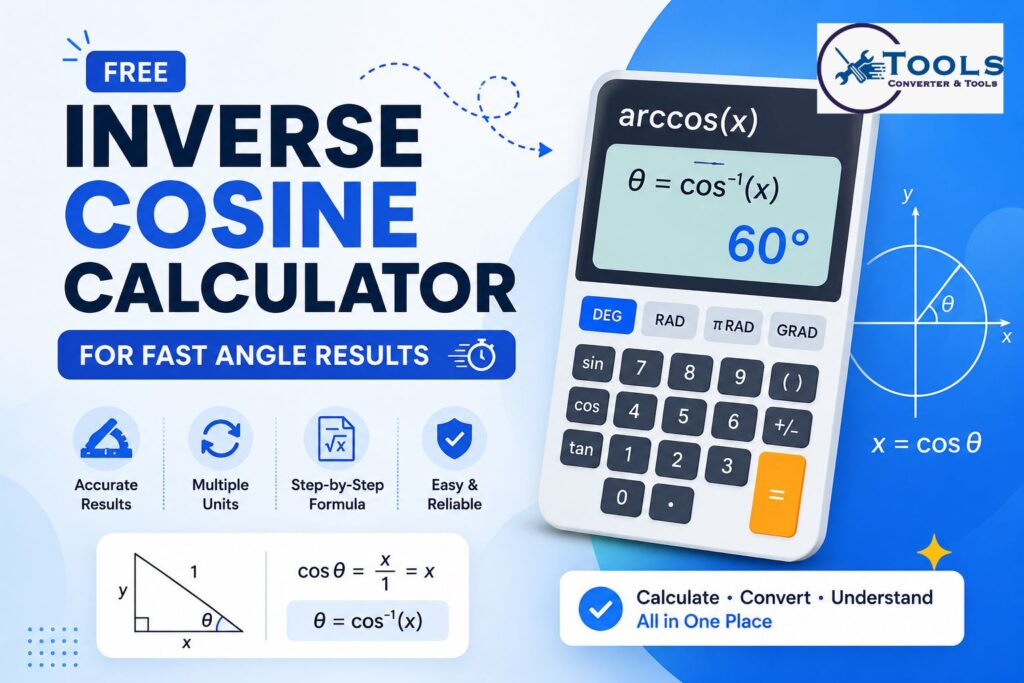
This tool is useful for students, teachers, engineers, technicians, programmers, and anyone working with triangles, vectors, measurements, or trigonometric equations. It can display results in degrees, radians, π radians, and gradians, making it suitable for different mathematical and technical applications.
The calculator can also work in reverse. You can enter an angle in degrees or radians to find its cosine value. This makes it more than a basic arccos tool because it can also help with unit conversion and result comparison.
What Is Inverse Cosine?
Inverse cosine is a trigonometric function used to calculate an angle from a known cosine value. It is commonly written as:
cos⁻¹(x)
It may also be written as:
arccos(x)
Both expressions have the same meaning. They return the angle whose cosine is equal to the entered value.
For example:
cos⁻¹(0.5) = 60°
This means that the cosine of 60 degrees is 0.5.
Inverse cosine should not be confused with the reciprocal of cosine. The reciprocal of cosine is secant, while inverse cosine is used to find an angle.
Valid Range of Inverse Cosine
The input for the inverse cosine function must be between -1 and 1.
The valid range is:
-1 ≤ x ≤ 1
This restriction exists because the cosine of a real angle cannot be greater than 1 or less than -1.
For example, these inputs are valid:
- -1
- -0.5
- 0
- 0.75
- 1
However, values such as 1.5 or -2 do not produce real-number inverse cosine results.
The principal result returned by an inverse cosine calculator falls between 0° and 180°.
In radians, the range is:
0 ≤ θ ≤ π
How to Use the Inverse Cosine Calculator
The calculator is designed to provide fast results with only a few simple steps.
Select the Input Type
Start by choosing the type of value you want to enter.
The available options may include:
- Cosine value
- Angle in degrees
- Angle in radians
Choose Cosine Value when you want to calculate an inverse cosine result.
Choose Angle in Degrees or Angle in Radians when you want to calculate the cosine of a known angle.
Enter the Value
Type your number into the input field.
For inverse cosine calculations, enter a value between -1 and 1. For example, you can enter 0.5, -0.25, or 1.
When entering an angle, make sure it is within the supported principal range. Degree inputs should normally be between 0° and 180°, while radian inputs should be between 0 and π.
Choose the Main Result Unit
Select the unit in which you want the main answer displayed.
Common options include:
- Degrees
- Radians
- π radians
- Gradians
The calculator may still show all equivalent units below the main result, allowing you to compare them easily.
View the Result
Click the calculate button or wait for the automatic calculation.
The tool will display the main angle result along with related values, such as the equivalent angle in other units, the cosine value, the quadrant, and the formula used.
You can also copy the result for use in homework, notes, spreadsheets, reports, or technical calculations.
Inverse Cosine Formula
The standard inverse cosine formula is:
θ = cos⁻¹(x)
Where:
- θ is the calculated angle
- x is the known cosine value
- cos⁻¹ represents inverse cosine
For example, if the cosine value is 0.5:
θ = cos⁻¹(0.5)
The result is:
θ = 60°
The same result in radians is:
θ = π/3 radians
Converting Radians to Degrees
Many calculators first produce the inverse cosine result in radians. To convert radians to degrees, use this formula:
Degrees = Radians × 180 / π
For example, suppose the result is 1.0471975512 radians:
Degrees = 1.0471975512 × 180 / π
Degrees = 60°
An inverse cosine calculator performs this conversion automatically.
Converting Degrees to Radians
To convert degrees to radians, use:
Radians = Degrees × π / 180
For a 60-degree angle:
Radians = 60 × π / 180
Radians = π/3
As a decimal:
Radians ≈ 1.0471975512
Converting Degrees to Gradians
Gradians are another way of measuring angles. A full circle contains 400 gradians instead of 360 degrees.
Use this formula:
Gradians = Degrees × 10 / 9
For example:
60° × 10 / 9 = 66.6667 grad
This unit is less common than degrees and radians, but it may be used in surveying, engineering, and certain technical fields.
Supported Results
A useful inverse cosine calculator displays more than one answer format.
Degrees
Degrees are the most familiar angle unit. A complete circle contains 360 degrees.
Example:
cos⁻¹(0.5) = 60°
Degrees are commonly used in school mathematics, geometry, construction, navigation, and everyday angle measurements.
Radians
Radians are widely used in advanced mathematics, physics, engineering, and programming.
Example:
cos⁻¹(0.5) ≈ 1.0471975512 radians
A complete circle contains 2π radians.
π Radians
Displaying radians as a multiple of π can make exact values easier to understand.
For example:
1.0471975512 radians = 0.3333333333π radians
This is normally written as:
π/3 radians
Gradians
A complete circle contains 400 gradians.
For example:
60° = 66.6667 gradians
Gradians may be helpful in surveying and specialized measurement systems.
Practical Conversion Examples
The following examples show how the calculator handles common inputs.
Example 1: Inverse Cosine of 0.5
Enter:
0.5
Apply the formula:
θ = cos⁻¹(0.5)
Result:
θ = 60°
Equivalent values:
- Radians: 1.0471975512
- π radians: π/3
- Gradians: 66.6667
- Quadrant: Quadrant I
Example 2: Inverse Cosine of 0
Enter:
0
Calculation:
θ = cos⁻¹(0)
Result:
θ = 90°
Equivalent values:
- Radians: π/2
- Decimal radians: 1.5707963268
- Gradians: 100
- Position: Positive Y-axis
Example 3: Inverse Cosine of -1
Enter:
-1
Calculation:
θ = cos⁻¹(-1)
Result:
θ = 180°
Equivalent values:
- Radians: π
- Decimal radians: 3.1415926536
- Gradians: 200
- Position: Negative X-axis
Example 4: Inverse Cosine of 1
Enter:
1
Calculation:
θ = cos⁻¹(1)
Result:
θ = 0°
Equivalent values:
- Radians: 0
- π radians: 0π
- Gradians: 0
- Position: Positive X-axis
Example 5: Inverse Cosine of -0.5
Enter:
-0.5
Calculation:
θ = cos⁻¹(-0.5)
Result:
θ = 120°
Equivalent values:
- Radians: 2.0943951024
- π radians: 2π/3
- Gradians: 133.3333
- Quadrant: Quadrant II
Example 6: Finding Cosine from Degrees
Suppose you enter:
60°
The calculator applies:
cos(60°)
Result:
0.5
This feature is useful when you want to verify an inverse cosine answer.
Example 7: Finding Cosine from Radians
Suppose you enter:
1.5707963268 radians
The calculator applies:
cos(1.5707963268)
Result:
0
This angle is equal to 90 degrees.
How the Calculator Works
The tool first checks the selected input type.
When a cosine value is entered, it confirms that the number is between -1 and 1. It then uses the inverse cosine function to calculate the principal angle in radians.
After finding the radian result, the calculator converts it into degrees, π radians, and gradians.
When an angle is entered, the tool converts the value into radians when necessary and then applies the standard cosine function.
All related results are displayed together so users do not have to perform separate conversions.
Understanding the Quadrant Result
The principal inverse cosine range runs from 0° to 180°. This means the result can lie on an axis, in Quadrant I, or in Quadrant II.
Angles between 0° and 90° are in Quadrant I.
Angles between 90° and 180° are in Quadrant II.
Special axis values include:
- 0°: Positive X-axis
- 90°: Positive Y-axis
- 180°: Negative X-axis
Inverse cosine does not return principal results in Quadrants III or IV.
Common Uses of the Tool
An inverse cosine calculator can be useful in many fields.
Mathematics and Geometry
Students can use it to solve right-triangle problems, trigonometric equations, and coordinate geometry questions.
If the adjacent side and hypotenuse are known, cosine can be used to calculate the missing angle.
Physics
Inverse cosine is often used to find angles between vectors, forces, velocities, and directions.
Engineering
Engineers may use arccos calculations in mechanical design, electrical analysis, structural measurements, robotics, and control systems.
Computer Graphics
The function can help calculate camera angles, surface directions, lighting angles, rotations, and vector relationships.
Navigation and Surveying
Angle calculations are important in mapping, positioning, surveying, and directional measurements.
Tips for Accurate Results
Always check that your cosine input is between -1 and 1.
Make sure the correct input type is selected before entering a value. Entering 60 as a cosine value will produce an error because 60 is outside the valid cosine range.
Check whether your required answer should be in degrees or radians. Many scientific formulas use radians, while school geometry problems often use degrees.
Keep enough decimal places when working on technical calculations. Rounding too early may reduce accuracy.
Remember that inverse cosine returns the principal angle only. Some trigonometric equations may have additional solutions outside the standard 0° to 180° range.
Benefits of This Inverse Cosine Calculator
This online calculator saves time by handling both the arccos calculation and the related angle conversions.
It provides results in several common units, so you do not need separate degree, radian, or gradian converters.
The tool also reduces calculation mistakes by validating the input range before producing an answer.
Because the results appear immediately, it is useful for quick homework checks, classroom work, technical tasks, and everyday calculations.
Dave Ramsey Investment Calculator – Estimate Your Investment Growth
Frequently Asked Questions
What is an inverse cosine calculator?
An inverse cosine calculator finds the angle whose cosine equals a given number. Enter a cosine value between -1 and 1 to receive the corresponding angle.
Is arccos the same as inverse cosine?
Yes. Arccos and inverse cosine refer to the same trigonometric function. Both are commonly written as arccos(x) or cos⁻¹(x).
Why must the input be between -1 and 1?
The cosine of a real angle can only range from -1 to 1. Values outside this range do not have a real inverse cosine result.
Can the calculator show results in radians?
Yes. The calculator can display results in decimal radians and as a multiple of π. It can also show equivalent values in degrees and gradians.
What is the inverse cosine of 0.5?
The inverse cosine of 0.5 is 60 degrees. It is equal to π/3 radians, approximately 1.0471975512 radians, or 66.6667 gradians.
Conclusion
The inverse cosine calculator provides a quick and reliable way to find angles from cosine values. It can calculate arccos results, convert angles between degrees and radians, display π-based values, and provide gradian equivalents.
Whether you are solving a trigonometry problem, checking an engineering calculation, comparing angle units, or studying mathematical formulas, this tool can help you obtain clear results without lengthy manual calculations.
Enter your value, select the required unit, and use the result in your next calculation.
