Creepy Text Generator Pro
PROCreate creepy, cursed, glitchy, haunted and scary Unicode text for social media, gaming profiles and messages.
Quick Presets
Select a ready-made creepy effectCustomize Effect
Fine-tune the generated textYour creepy text will appear here
Enter text and choose an effect to start generating.
Unicode compatibility: Some creepy symbols may look different on individual devices, browsers and social media platforms.
A creepy text generator is a simple online tool that changes normal words into unusual, spooky, glitchy, or horror-themed text. It uses special Unicode characters, combining marks, symbols, and decorative styles to create text that looks strange, haunted, distorted, or mysterious.
Instead of installing a font or editing an image, you can type your message into the tool, choose a style, and copy the result instantly. The generated text can often be pasted into social media profiles, gaming usernames, comments, captions, messages, and other platforms that support Unicode characters.
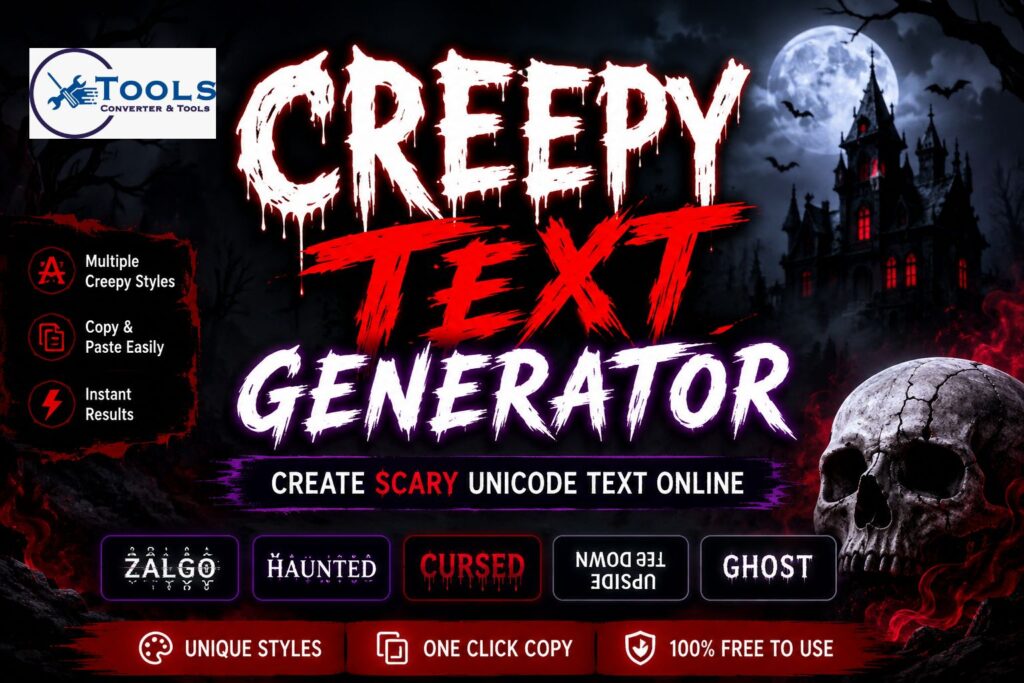
This tool is especially useful for people who want to create Halloween text, scary usernames, horror-themed captions, cursed-looking words, or unique profile names. It works quickly and does not require technical knowledge.
What Is a Creepy Text Generator?
A creepy text generator converts ordinary text into decorative Unicode text. For example, a simple phrase such as “Do not enter” can be changed into a glitchy, cursed, upside-down, or symbol-based version.
The tool does not create a traditional downloadable font. Instead, it replaces or decorates normal letters with Unicode characters. Because Unicode is supported by many websites, browsers, and apps, the result can usually be copied and pasted like normal text.
A creepy text generator may include several styles, such as Zalgo text, haunted text, scratched text, bloody text, ghost text, small caps, upside-down letters, and dark symbol text.
Why Use Creepy Unicode Text?
Creepy Unicode text helps normal words stand out. It can add a dramatic or mysterious feeling to a message without requiring graphic design software.
People commonly use this type of text for horror stories, gaming profiles, Halloween posts, social media bios, Discord names, YouTube titles, role-playing communities, and creative writing.
It is also useful when you want to create text that looks visually unusual while still remaining copyable. Unlike text inside an image, Unicode text can often be searched, selected, copied, and edited.
How to Use the Creepy Text Generator
Using the creepy text generator is quick and straightforward. You only need to enter your text, select an effect, and copy the result.
Step 1: Enter Your Text
Type or paste your normal text into the input box. You can enter a single word, a username, a short sentence, or a longer phrase.
Short text usually produces the clearest result. Longer sentences can also work, but very heavy effects may make them harder to read.
Step 2: Choose a Creepy Style
Select the style you want from the available options. Common choices include glitch text, cursed text, haunted text, upside-down text, scratched text, and creepy symbols.
Each style changes the appearance of the text differently. Some styles add marks above and below the letters, while others replace letters with similar-looking Unicode symbols.
Step 3: Adjust the Intensity
Some creepy text tools include an intensity setting. A light effect adds only a few marks, while an extreme setting creates heavily distorted text.
Use a lower intensity for usernames and captions that need to stay readable. Higher intensity works well for horror effects, dramatic headings, or decorative text.
Step 4: Generate the Result
Click the generate button to create your creepy text. Some tools also update the output automatically while you type.
The main result is usually displayed first, followed by several alternative styles. This makes it easier to compare different versions without entering the same text again.
Step 5: Copy and Paste
Once you find a style you like, click the copy button. You can then paste the text into a supported app, website, game, profile, or message.
It is a good idea to preview the result after pasting because some platforms may display certain Unicode symbols differently.
How the Creepy Text Generator Works
The tool works by using Unicode characters and combining marks. Unicode is a global character system that includes letters, numbers, symbols, accents, marks, and characters from many writing systems.
Normal text is made from standard letters such as A, B, C, and D. Creepy text may use alternative Unicode letters or add extra marks around those letters.
For example, combining marks can appear above, below, or through a character. When several marks are added to one letter, the result can look corrupted or glitchy.
The tool processes each character in the input and applies the selected transformation. Spaces and punctuation may be preserved so that the original sentence remains understandable.
Is There a Conversion Formula?
A creepy text generator does not use a mathematical conversion formula like a temperature or length converter. The conversion is based on character replacement and Unicode decoration.
A simplified conversion method can be written as:
Creepy Text = Original Character + Unicode Marks + Optional Symbols
For example:
A + marks above + marks below = distorted A
Another style may use direct character replacement:
Normal Letter → Similar-Looking Unicode Letter
For example:
A → Λ
S → §
O → Ø
The exact output can vary because some styles use random marks. This means generating the same phrase twice may produce slightly different results.
Types of Creepy Text Styles
Different styles create different visual effects. Choosing the right one depends on where you plan to use the text.
Zalgo Glitch Text
Zalgo text adds multiple combining marks above, below, and through letters. It creates a distorted appearance that looks corrupted or unstable.
This style is popular for horror titles, glitch themes, scary messages, and supernatural content. A light Zalgo effect can remain readable, while an extreme effect may become very dense.
Haunted Text
Haunted text usually adds subtle marks, shadows, or strange symbols around the letters. It is less chaotic than heavy Zalgo text and can be suitable for short captions or usernames.
This style works well when you want something spooky but still easy to understand.
Cursed Text
Cursed text combines unusual letters, marks, and symbols. The result often looks ancient, forbidden, mysterious, or supernatural.
It is commonly used for horror games, role-playing names, dark fantasy profiles, and creepy story titles.
Scratched Text
Scratched text places lines through letters. It can look damaged, crossed out, broken, or disturbed.
This effect is useful for warning messages, horror posters, dark captions, and dramatic words.
Bloody Text
Bloody text uses marks below letters to create a dripping appearance. Although it does not use actual color, the shape can resemble drops or stains.
It is often used for Halloween content, horror-themed messages, and scary event titles.
Ghost Text
Ghost text adds wide spacing, soft symbols, moons, or faded-looking characters. It creates a quieter and more mysterious style.
It can be used for ghost stories, paranormal themes, eerie captions, and subtle horror usernames.
Upside-Down Text
Upside-down text replaces letters with rotated or similar-looking Unicode characters and reverses the order of the text.
This style is unusual, playful, and slightly unsettling. It works best for short phrases because longer sentences can be difficult to read.
Small Caps Horror Text
Small caps text changes regular letters into smaller capital-style Unicode characters. Decorative symbols can then be added around the text.
This style is cleaner than heavily distorted effects and works well for profile names, gaming tags, and short headings.
Creepy Symbol Text
Symbol text replaces selected letters with unusual symbols. It may use crosses, moons, skulls, eyes, warning signs, or ancient-looking characters.
This option is useful when you want a decorative result without adding too many combining marks.
Creepy Text Conversion Examples
The following examples show how ordinary text can be transformed into different styles.
Basic Text Example
Normal text:
Enter if you dare
Creepy symbol style:
☠ ΞИŦΞЯ łҒ ¥ØU ÐΛЯΞ ☠
The letters remain recognizable, but the symbols give the sentence a darker appearance.
Glitch Text Example
Normal text:
Do not look back
Glitch result:
D̴͒o̷̽ n̸͠o̵͌t̶͑ l̸͛o̵͗o̷͝k̵̓ b̶́a̴̋c̸͝k̷
The added marks create a corrupted visual effect.
Gaming Name Example
Normal name:
Dark Hunter
Gaming style:
꧁༺ ÐΛЯҠ ĦUИŦΞЯ ༻꧂
This format can be used as inspiration for a gaming nickname or clan-style name.
Ghost Text Example
Normal text:
Someone is watching
Ghost style:
☾ s o m e o n e i s w a t c h i n g ☽
The wide spacing creates a quiet and eerie appearance.
Upside-Down Example
Normal text:
Help me
Upside-down result:
ǝɯ dlǝH
The tool reverses the text and changes supported letters into upside-down forms.
Where Can You Use Creepy Text?
Creepy text can be used anywhere that accepts supported Unicode characters. However, the exact appearance may vary from one platform to another.
Social Media Profiles
You can use creepy text in bios, display names, captions, comments, and short posts. It can help a horror-themed or Halloween profile look more distinctive.
Avoid using extremely distorted text for important information because it may be difficult for visitors to read.
Gaming Usernames
Gamers often use symbol text, small caps, dark text, and decorated names. A creepy text generator can provide several nickname ideas quickly.
Some games limit the characters allowed in usernames, so test the result before making a permanent change.
Discord Names and Messages
Creepy Unicode text can be used in Discord display names, server nicknames, channel descriptions, and messages.
Heavy Zalgo text may look crowded, so lighter effects are often better for regular communication.
TikTok and Instagram Bios
Short creepy phrases can work well in social media bios. Small caps, symbol text, and light glitch effects are usually more readable on mobile screens.
YouTube Titles and Descriptions
Horror creators may use creepy text for short decorative words in titles or descriptions. Standard text should still be included where clarity and search visibility are important.
Halloween Content
The tool is useful for Halloween invitations, party names, costume captions, haunted house promotions, and scary messages.
It can also help create decorative text for printable designs, although you should confirm that the chosen font supports the Unicode characters.
Benefits of Using the Tool
The main advantage of a creepy text generator is speed. You can create many text styles without installing fonts or learning design software.
The tool is also easy to use. It does not require registration, coding, or technical experience. You simply enter text and copy the result.
Multiple output styles allow you to compare different effects. This helps you find a version that matches your username, message, profile, or creative project.
Because the output is text rather than an image, it can often be edited, copied, pasted, and reused.
Unicode Compatibility
Most modern browsers, smartphones, computers, and social media apps support a wide range of Unicode characters. However, not every platform supports every symbol.
A character may look different depending on the operating system, browser, app, or installed font. In some cases, unsupported symbols may appear as empty boxes.
Very complex combining marks may also overlap nearby lines. This is more common with extreme Zalgo text.
For the best results, use light or medium intensity and test the text on the platform where you plan to publish it.
Tips for Better Creepy Text
Keep your text short when using intense effects. A short phrase is easier to read and usually looks more balanced.
Use light effects for usernames, bios, and profile names. Save extreme styles for decorative headings or horror-themed messages.
Avoid adding too many emojis and symbols around the text. A simple decoration often looks cleaner and more professional.
Always preview the result on mobile and desktop devices when possible. This helps you check spacing, readability, and symbol support.
Do not use distorted text for passwords, email addresses, official names, or important instructions. Decorative Unicode characters may cause typing, searching, or accessibility problems.
Italic Text Generator Online – Copy Stylish Italic Text
Frequently Asked Questions
What is a creepy text generator?
A creepy text generator is an online tool that transforms ordinary words into spooky, glitchy, cursed, or decorative Unicode text. The result can usually be copied and pasted into supported websites and apps.
Is the creepy text generator free?
Yes, the tool can be used without installing software. You can enter text, generate different styles, and copy the result directly.
Can I use creepy text on social media?
Most creepy Unicode text works on popular social media platforms. However, some symbols may display differently depending on the app, device, or font.
Why does creepy text look different on another device?
Unicode symbols are rendered by the fonts and operating system available on each device. The same character may have a slightly different shape or spacing on another phone or computer.
Is creepy Unicode text a real font?
No. Most results are created using Unicode letters, symbols, and combining marks. They look like special fonts, but they are actually copyable text characters.
Conclusion
The creepy text generator provides a quick way to turn ordinary words into scary, haunted, distorted, and unusual Unicode text. It is useful for social media profiles, gaming names, Halloween content, horror captions, creative writing, and decorative messages.
Enter your text, select a style, adjust the intensity, and compare the generated results. Once you find a version you like, copy it and test it on your chosen platform.
For the clearest output, keep phrases short and use moderate effects. This helps your creepy text remain eye-catching without becoming difficult to read.
