Escape Room Near Me Finder
Find nearby escape rooms by GPS, city, ZIP code, group size, difficulty, and booking preference.
Finding the right escape room can take time, especially when you have to compare locations, themes, difficulty levels, group limits, and booking options. The Escape Room Near Me Search Tool by Location simplifies this process by helping you create a focused local search based on your preferences.
You can enter a city, ZIP code, or address to find relevant escape room options in your chosen area. You can also use your device’s GPS to search around your current location. Additional filters let you choose a search radius, group size, difficulty level, room type, and booking preferences.
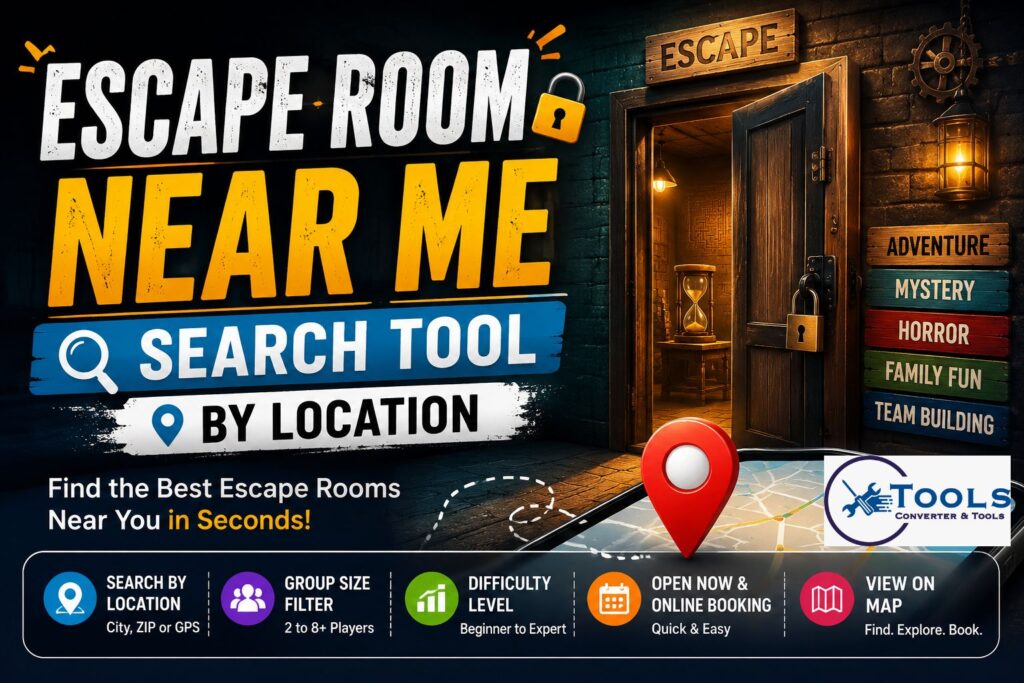
Instead of opening several search pages and typing different phrases manually, the tool prepares a detailed search and displays it through Google Maps. It is useful for families, friends, couples, tourists, birthday groups, and companies planning team-building activities.
What Is the Escape Room Near Me Tool?
The escape room near me tool is a location-based finder designed to make local escape room searches easier. It does not work like a traditional measurement converter. Instead, it converts your location and activity preferences into a focused map search.
For example, you may want a beginner-friendly mystery room within ten miles of your city. Another user may need a private horror room for six players with online booking. The tool combines these details into a search phrase that helps produce more relevant local results.
The main purpose of the tool is to save time. It organizes important search preferences in one place and removes the need to rewrite multiple search queries.
How the Search Tool Works
The tool uses your entered location or GPS coordinates as the starting point. It then combines that information with the filters you select.
Once the search is created, the tool loads a Google Maps result inside the page. It also provides an option to open the same search in Google Maps for further details, directions, reviews, photographs, business hours, and booking information.
Entering a Location
You can search by entering one of the following:
- City name
- ZIP or postal code
- Full address
- Neighborhood
- Current GPS location
A more specific location normally produces a more focused result. Entering only a large state or region may return businesses spread across a wide area.
Using GPS
The GPS button requests permission to access your device’s current location. When permission is granted, the tool uses latitude and longitude coordinates to prepare the map search.
GPS can be helpful when you are travelling or do not know the local ZIP code. It also reduces typing and helps center the search around your current position.
Location permission must be enabled in your browser. When GPS access is blocked or unavailable, you can still enter a city, address, or ZIP code manually.
Selecting a Search Radius
The search radius represents the distance you are willing to travel. Available options may include:
- Within 5 miles
- Within 10 miles
- Within 25 miles
- Within 50 miles
A five-mile radius is useful when you want something very close. A wider radius may provide more themes, prices, time slots, and difficulty options.
The radius works as a search preference rather than a guaranteed distance limit. You should check the actual distance and travel time shown in the map results before booking.
Choosing Group Size
Escape rooms usually have minimum and maximum player limits. The tool allows you to select a preferred group size, such as two, four, six, or eight or more players.
Group size is especially important because some rooms are designed for small teams, while others can accommodate larger parties. Selecting the correct number helps you prepare a more useful search.
For groups of six or more, contact the venue before booking. A business may divide a large party between several rooms or offer a special private event package.
Setting the Difficulty
Difficulty filters help match the challenge to your experience level. You can select:
- Any difficulty
- Beginner friendly
- Medium challenge
- Hard or expert
Beginners may enjoy rooms with clear clues, balanced puzzles, and generous hint systems. Experienced teams may prefer difficult rooms with layered puzzles, limited hints, and lower completion rates.
Choosing the right difficulty can make the experience more enjoyable. A room that is too easy may feel short, while an expert room may be frustrating for first-time players.
Choosing a Room Type
Themes influence the atmosphere, story, and puzzle style. The tool can help search for options such as:
- Family-friendly rooms
- Horror rooms
- Mystery rooms
- Team-building rooms
- Kids-friendly rooms
A family-friendly room usually avoids intense scares and mature content. Horror rooms may include darkness, sound effects, actors, or jump scares. Mystery rooms often focus on investigation, hidden clues, and story-based puzzles.
How to Use the Escape Room Finder
Using the tool requires only a few simple steps.
Step 1: Enter Your Area
Type your city, ZIP code, neighborhood, or address into the location field. You can also select the GPS button to use your present location.
Check the spelling before continuing. A misspelled city or incomplete ZIP code may produce less accurate results.
Step 2: Select a Radius
Choose how far you are willing to travel. Start with ten miles for a balanced local search. Increase the radius when there are limited options nearby.
Step 3: Add Your Group Size
Select the number of expected players. This helps you remember to confirm room capacity when reviewing a venue.
Step 4: Choose Difficulty and Theme
Select a suitable challenge level and room type. Leave these fields set to “Any” when you want to explore all available options.
Step 5: Add Booking Preferences
You can refine the search further by selecting preferences such as:
- Open now
- Private room
- Online booking
The “open now” option is useful for last-minute plans. Private room searches are helpful when you do not want to play with strangers. Online booking can make it easier to compare time slots and reserve a room quickly.
Step 6: Review the Results
Select the search button to create your result. The tool displays your radius, group size, room type, search summary, booking checklist, and map.
You can then open the search in Google Maps or copy the prepared phrase for use elsewhere.
Search Formula and Logic
A normal conversion tool changes one unit into another. This finder converts several preferences into a local search query.
The basic search formula is:
Search Query = Escape Room + Location + Difficulty + Room Type + Booking Preferences
For example:
Escape Room + Chicago + Beginner Friendly + Mystery + Private Room
The complete search phrase may appear as:
Escape room near Chicago beginner-friendly mystery private room
GPS searches use coordinates instead of a typed place name:
Escape Room + Latitude and Longitude + Selected Filters
The tool also displays the chosen radius and group size to help you evaluate the results. These details are useful planning preferences, although every selected value may not act as a strict Google Maps filter.
Practical Search Examples
Beginner Escape Room for Four Players
Suppose four friends are trying an escape room for the first time. They can enter their city, choose a ten-mile radius, select four players, and choose beginner-friendly difficulty.
A suitable search may be:
Escape room near my city beginner friendly
The group should look for reviews mentioning helpful staff, fair puzzles, and a good hint system.
Family-Friendly Room Nearby
A parent planning a weekend activity can select the family-friendly room type. The search may become:
Escape room near my location family friendly
Before booking, the parent should confirm the minimum age, adult supervision rules, puzzle difficulty, and any frightening content.
Horror Room with Private Booking
A group looking for a scary experience can select the horror option and private room preference.
The resulting phrase may be:
Escape room near my location horror private room
The group should check whether live actors, physical contact, flashing lights, darkness, or intense sound effects are involved.
Team-Building Escape Room
Companies can search for team-building rooms suitable for colleagues.
An example search is:
Escape room near downtown team building online booking
Organizers should ask about group packages, invoices, meeting space, refreshments, and options for dividing employees into teams.
Escape Room Open Now
For an unplanned activity, enter your current location and select “Open now.”
The tool may create:
Escape room near current location open now
Always confirm the latest opening hours and available sessions before travelling. A business may be open but have no immediate room available.
Benefits of Using the Tool
The main advantage is convenience. The finder combines several useful choices into one search process.
It can help you:
- Create a local search quickly
- Search with GPS or a typed location
- Compare different travel distances
- Match rooms to your group size
- Choose an appropriate difficulty
- Search for specific themes
- Find private-room options
- Look for online booking
- Open results directly on a map
The tool is also useful on mobile devices. Travellers can use GPS to look for nearby activities without researching the local area first.
How to Choose the Best Escape Room
Finding nearby venues is only the first step. You should compare the available options carefully before making a reservation.
Read Recent Reviews
Recent reviews can reveal whether puzzles are maintained properly, staff members are helpful, and rooms match their advertised difficulty.
Do not judge a venue only by its average rating. Read several detailed reviews and look for repeated comments about cleanliness, customer service, puzzle quality, and value.
Review the Theme
Choose a theme that appeals to the whole group. Mystery and adventure rooms are often suitable for mixed groups. Horror rooms may not be appropriate for young players or guests who dislike enclosed, dark, or frightening spaces.
Confirm Capacity
Check the minimum and maximum number of players. A room designed for eight people may feel difficult for two players, while a small room may be uncomfortable for a large group.
Ask whether the booking is private or shared. Some venues may add other customers unless you reserve the entire room.
Compare Difficulty
First-time players should usually begin with beginner or medium difficulty. Experienced players can look for expert rooms, low escape rates, or puzzle-heavy experiences.
Difficulty labels vary between businesses. One venue’s medium room may be harder than another venue’s expert room, so reviews can provide useful context.
Check the Total Cost
Compare the complete booking price rather than only the advertised starting rate. Some businesses charge per person, while others use a fixed room price.
Look for booking fees, taxes, private-room charges, weekend pricing, and minimum-player requirements.
Review Policies
Check the cancellation, refund, rescheduling, and late-arrival rules. Escape rooms usually operate on strict schedules, and arriving late may reduce your playing time.
You should also review accessibility information, parking options, clothing recommendations, and restrictions related to pregnancy, mobility, flashing lights, or enclosed spaces.
Booking Checklist
Before confirming your reservation, verify the following details:
- Correct venue location
- Room theme and difficulty
- Minimum and maximum group size
- Private or shared booking
- Total price
- Available date and time
- Recommended arrival time
- Age restrictions
- Cancellation policy
- Parking or public transport
- Accessibility information
- Horror intensity or actor involvement
Booking early is recommended for Friday evenings, weekends, holidays, birthdays, and corporate events.
Best Schwarzwalder Kirschtorte Near Me Finder Tool
Frequently Asked Questions
How does the Escape Room Near Me tool work?
The tool combines your location with selected preferences such as difficulty, theme, and booking type. It then creates a focused Google Maps search for nearby escape room businesses.
Can I search using my current location?
Yes. Select the GPS button and allow location access in your browser. The tool will use your coordinates to search around your current position.
Can I search by city or ZIP code?
Yes. You can enter a city, ZIP code, neighborhood, or full address. More specific location details generally produce more focused map results.
Does the tool guarantee rooms within the selected radius?
No. The radius is displayed as your preferred travel distance. You should confirm the actual mileage and travel time in the map results before making a booking.
Is the escape room finder free?
The search tool itself can be used without a booking charge. Individual escape room venues set their own ticket prices, fees, and reservation policies.
Conclusion
The Escape Room Near Me Search Tool by Location provides a simple way to find local escape room options. It combines your location, preferred distance, group size, difficulty, theme, and booking needs into one organized search.
Whether you are planning a family outing, date night, birthday party, holiday activity, or corporate event, the tool can help narrow your choices. Enter your area, customize the filters, review the map results, and compare recent reviews and booking details before selecting a room.
