
Character Counter
Advanced character, word, SEO, social media, and writing analysis tool.
0 Characters
0
0
0
0
0
0
0
0
Easy
0 / 280
0 / 2200
0 / 63206
0 / 160
0 / 60
0 words
0 words
0
–
0
0%
0 sec
0 sec
0 sec
0 sec
0 sec
0 sec
| Word | Count | Density |
|---|---|---|
| No words found | ||
Introduction
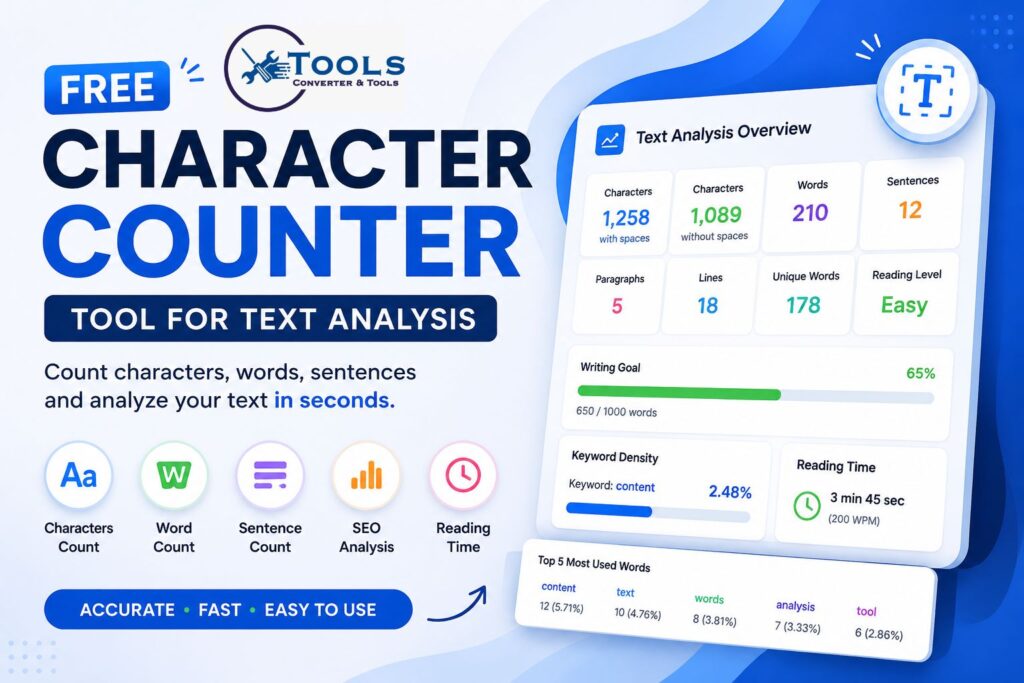
A Character Counter is a simple yet powerful tool designed to help users analyze text quickly and accurately. Whether you are writing a blog post, creating social media content, preparing an academic assignment, or optimizing a webpage for search engines, knowing the exact length of your text is often essential.
Many platforms impose character limits, word limits, or content guidelines. Manually counting characters and words can be time-consuming and inaccurate. A Character Counter solves this problem by providing instant results and detailed text statistics.
Modern Character Counter tools go beyond simple counting. They can analyze readability, calculate keyword density, estimate reading time, track writing goals, and provide valuable insights that improve the quality of your content.
What Is a Character Counter?
A Character Counter is an online text analysis tool that measures the number of characters, words, sentences, paragraphs, and other important text metrics.
When you enter or paste text into the tool, it instantly calculates:
- Characters with spaces
- Characters without spaces
- Word count
- Sentence count
- Paragraph count
- Reading time
- Keyword density
- Writing statistics
This information helps writers, students, marketers, and developers make informed decisions about their content.
Why Character Counting Matters
Text length plays an important role in communication.
Different platforms have different requirements:
- Search engines prefer optimized title tags and meta descriptions.
- Social media platforms often have character limits.
- Academic institutions may require specific word counts.
- Businesses need concise and professional communication.
A Character Counter helps ensure that your content meets these requirements while remaining clear and readable.
How to Use the Character Counter Tool
Step 1: Enter Your Text
Type directly into the text box or paste content from another source.
The tool accepts short text snippets as well as long-form content.
Step 2: Select Analysis Options
Depending on the tool, you may choose a primary analysis mode such as:
- Character count
- Word count
- Sentence count
- Character count without spaces
Step 3: Review the Results
As you type, the Character Counter automatically updates the statistics.
You can immediately see the length and structure of your content.
Step 4: Export or Copy Results
Many advanced tools allow you to:
- Copy results
- Download reports
- Save text for later analysis
This makes content management faster and more convenient.
Main Features of a Character Counter
Character Count With Spaces
This feature counts every visible character, including spaces.
For example:
Character Counter Tool
Characters with spaces include all letters and the spaces between words.
This metric is often used for social media platforms and content guidelines.
Character Count Without Spaces
This feature removes spaces from the calculation.
It is useful when measuring actual text length without considering blank spaces.
Word Count
Word count measures how many words are present in a text.
Writers commonly use this feature to meet article length requirements.
Sentence Count
Sentence count identifies the total number of sentences.
This helps users understand content structure and readability.
Paragraph Count
Paragraph count measures how many separate paragraphs exist within a document.
This can be useful for formatting and organization.
Line Count
Line count shows how many lines are present in the text.
It is especially useful for developers and editors.
Unique Word Count
This metric identifies the number of unique words used.
A higher unique word count often indicates greater vocabulary diversity.
Repeated Word Analysis
The tool can identify repeated words that appear frequently throughout the content.
This helps improve writing quality and reduce redundancy.
Reading Level Checker
Advanced Character Counter tools may estimate the complexity of text.
Results are often categorized as:
- Easy
- Medium
- Advanced
This allows writers to match content to their target audience.
Writing and Content Analysis Features
Average Word Length
This metric calculates the average number of characters per word.
Longer words may increase reading difficulty, while shorter words often improve readability.
Average Sentence Length
Average sentence length helps determine how easy content is to read.
Shorter sentences generally improve user engagement.
Average Paragraph Length
This metric shows how many words appear in each paragraph on average.
Balanced paragraph lengths improve visual appeal and readability.
Longest Word Detection
The tool identifies the longest word within the text.
This can be useful when reviewing writing complexity.
Writing Goal Tracker
Many Character Counter tools allow users to set writing goals.
For example:
- 500 words
- 1000 words
- 2000 words
Progress tracking helps writers stay focused and productive.
SEO Analysis Features
Keyword Count
Keyword count measures how many times a specific word or phrase appears in the content.
This helps writers maintain proper keyword usage.
Keyword Density Checker
Keyword density shows how frequently a keyword appears relative to total word count.
The formula is:
Keyword Occurrences ÷ Total Words × 100
Maintaining balanced keyword density helps improve content quality.
Top 10 Most Used Words
A Character Counter can identify the most frequently used words.
This feature helps writers:
- Detect repetition
- Improve vocabulary
- Optimize content structure
Content Optimization Insights
SEO-focused analysis provides a clearer understanding of content quality and balance.
These insights can help improve readability and engagement.
Social Media Character Limits
Twitter/X Character Limit
Most posts are limited to 280 characters.
A Character Counter helps ensure that content remains within this limit.
Instagram Caption Limit
Instagram captions allow significantly more characters, but concise content often performs better.
Facebook Post Limit
Facebook supports long posts, but shorter content may be easier to read.
Meta Description Limit
Search engines generally display around 150–160 characters in meta descriptions.
Character counting helps optimize this important SEO element.
Title Tag Limit
SEO title tags typically perform best when they remain within approximately 60 characters.
A Character Counter helps prevent title truncation in search results.
Reading and Speaking Time Calculator
Reading Time at Different Speeds
Reading speed varies between individuals.
Advanced Character Counter tools may calculate:
- Slow reading speed
- Average reading speed
- Fast reading speed
These estimates help writers understand content consumption time.
YouTube Voiceover Duration
Creators can estimate how long it will take to narrate a script.
Podcast Speaking Time
Podcasters can calculate episode length more accurately.
Presentation Speaking Time
Public speakers can estimate presentation duration based on word count.
Character Counting Formula and Logic
Characters With Spaces Formula
Count every visible character, including spaces.
Example:
Hello World
Characters with spaces: 11
Characters Without Spaces Formula
Remove spaces before counting.
Example:
Hello World
Characters without spaces: 10
Word Count Formula
Count each individual word separated by spaces or punctuation.
Example:
Character Counter Tool
Word count: 3
Keyword Density Formula
Keyword Density (%) = Keyword Occurrences ÷ Total Words × 100
Example:
Keyword appears 5 times in a 100-word article.
Result:
5 ÷ 100 × 100 = 5%
Reading Time Formula
Reading Time = Total Words ÷ Reading Speed
For example:
1000 words ÷ 200 WPM = 5 minutes
Practical Character Count Examples
Example 1: Basic Text Analysis
Original Text:
Character Counter Tool
Results:
- Characters with spaces: 22
- Characters without spaces: 20
- Words: 3
Example 2: Keyword Analysis
Keyword:
character
The tool displays:
- Keyword count
- Keyword density percentage
This helps optimize content while avoiding excessive repetition.
Example 3: Reading Time
Article Length:
1200 words
Estimated Reading Time:
Approximately 6 minutes
Estimated Speaking Time:
Approximately 8 minutes
Benefits of Using a Character Counter
Improves Writing Accuracy
Writers can verify text length instantly.
Saves Time
Automatic counting eliminates manual calculations.
Supports SEO
Character limits are important for title tags and meta descriptions.
Helps Content Creators
Bloggers and marketers can analyze content more effectively.
Enhances Readability
Detailed statistics help improve content structure.
Increases Productivity
Real-time feedback allows users to work more efficiently.
Who Should Use This Tool?
Students
For essays, reports, and assignments.
Bloggers
For article planning and content management.
Content Writers
For word count and readability analysis.
SEO Professionals
For keyword density and content optimization.
Social Media Managers
For character-limited posts and captions.
Business Professionals
For emails, reports, and professional communication.
Tips for Better Text Analysis
Monitor Character Limits
Stay within platform requirements whenever possible.
Optimize Keyword Usage
Use keywords naturally without overusing them.
Improve Readability
Short sentences and paragraphs often perform better.
Track Writing Goals
Set realistic targets and monitor progress.
Review Statistics Before Publishing
Always analyze content before making it public.
Case Converter – Convert Text Between Different Cases
Frequently Asked Questions
What is a Character Counter?
A Character Counter is a tool that measures characters, words, sentences, paragraphs, and other text statistics.
Is this Character Counter free to use?
Yes, most online Character Counter tools are available free of charge.
What is the difference between character count and word count?
Character count measures individual characters, while word count measures complete words.
How is keyword density calculated?
Keyword density is calculated by dividing keyword occurrences by total word count and multiplying by 100.
Can I analyze large amounts of text?
Yes, most modern Character Counter tools can process both short and long content efficiently.
Conclusion
A Character Counter is much more than a simple counting tool. It helps users analyze text, monitor writing goals, estimate reading time, improve readability, and optimize content for search engines and social media platforms. Whether you are a student, writer, blogger, marketer, or business professional, a Character Counter provides valuable insights that make content creation faster, easier, and more effective. By using detailed text analysis and real-time statistics, you can create better content while saving time and improving overall productivity.
